Custom Shapes: Signage

Resource Details
- Format
- CSH
- Size
- 101 KB
- Items in set
- 43
- Downloads
- 140.2k
- Added
- Mar 17, 2009
LicenseCommercial
Learn morePreparing...
Tags
Description
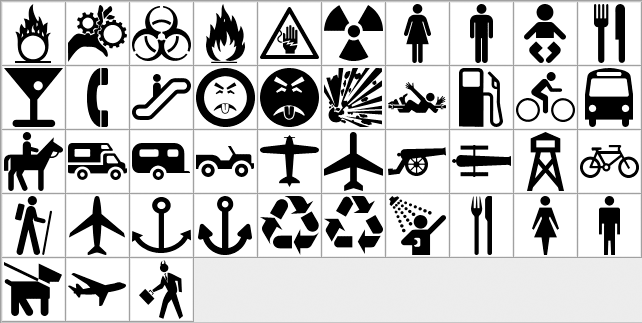
Custom shapes assembled from signage, warnings, and other similar icons. The author got tired of finding poor-quality sign shapes, so they decided to create their own from various sources. These crisp, clean signage shapes are useful for safety graphics, wayfinding designs, infographics, and any project that needs recognizable warning and information symbols.
What's Included
Frequently asked questions
Is "Custom Shapes: Signage" free to download?
Yes, this resource is free to download from MyPhotoshopBrushes, with no signup and no paywall. It is published under the Free for Commercial Use license, which allows commercial use. See the license panel on this page for the exact terms.
What file format does this download use?
The download is a ZIP archive containing .CSH files. Unzip it first, then use the files inside.
How do I use it in Photoshop?
Download the .CSH file and double-click it, or open Window → Shapes and choose Import Shapes from the panel menu. The shapes appear as a new group in the Shapes panel.