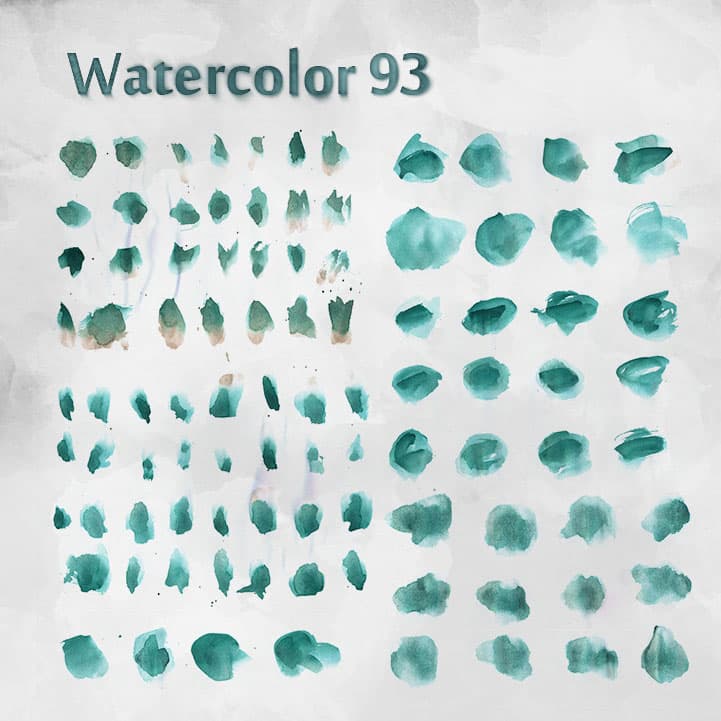
93 Free Watercolor Brushes
Resource Details
- Format
- ABR
- Size
- 6.2 MB
- Opens in
- Photoshop, GIMP
- Imports into
- Procreate, Affinity Photo, KritaShapes import fine. The Photoshop dynamics do not.
- Brush type
- Dynamic brushes
- Items in set
- 93
- Downloads
- 238.2k
- Added
- Jan 13, 2014
Description
These brushes may be used in personal and commercial work; credit is not necessary but feedback is always appreciated.
These brushes are provided freely and are not going to be sold in any form (by themselves or as part of any pack). Please do not redistribute them for sale.
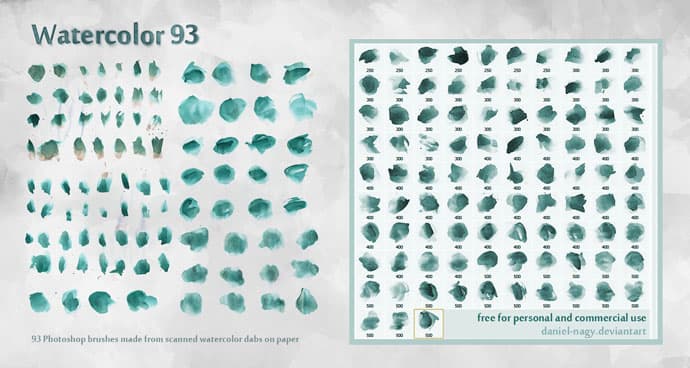
The brushes included in this set were created by scanning and tweaking some paint marks made with light green watercolor on white paper. They are in their native sizes in the pack, to keep the file size down.
These brushes are versatile tools for creating watercolor effects in digital art, illustrations, and graphic design projects. They work especially well for backgrounds, textures, and painterly compositions.
The spacing is set to maximum so that you can get a constant stream of texture. Reduce the spacing for a more lush feel but less texture in the middle.
By Daniel.
What's Included