16 Free Ink Brushes
Resource Details
- Format
- ABR
- Size
- 5 MB
- Opens in
- Photoshop, GIMP
- Imports into
- Procreate, Affinity Photo, KritaShapes import fine. The Photoshop dynamics do not.
- Brush type
- Dynamic brushes
- Items in set
- 16
- Downloads
- 2.0k
- Added
- Aug 27, 2026
Description
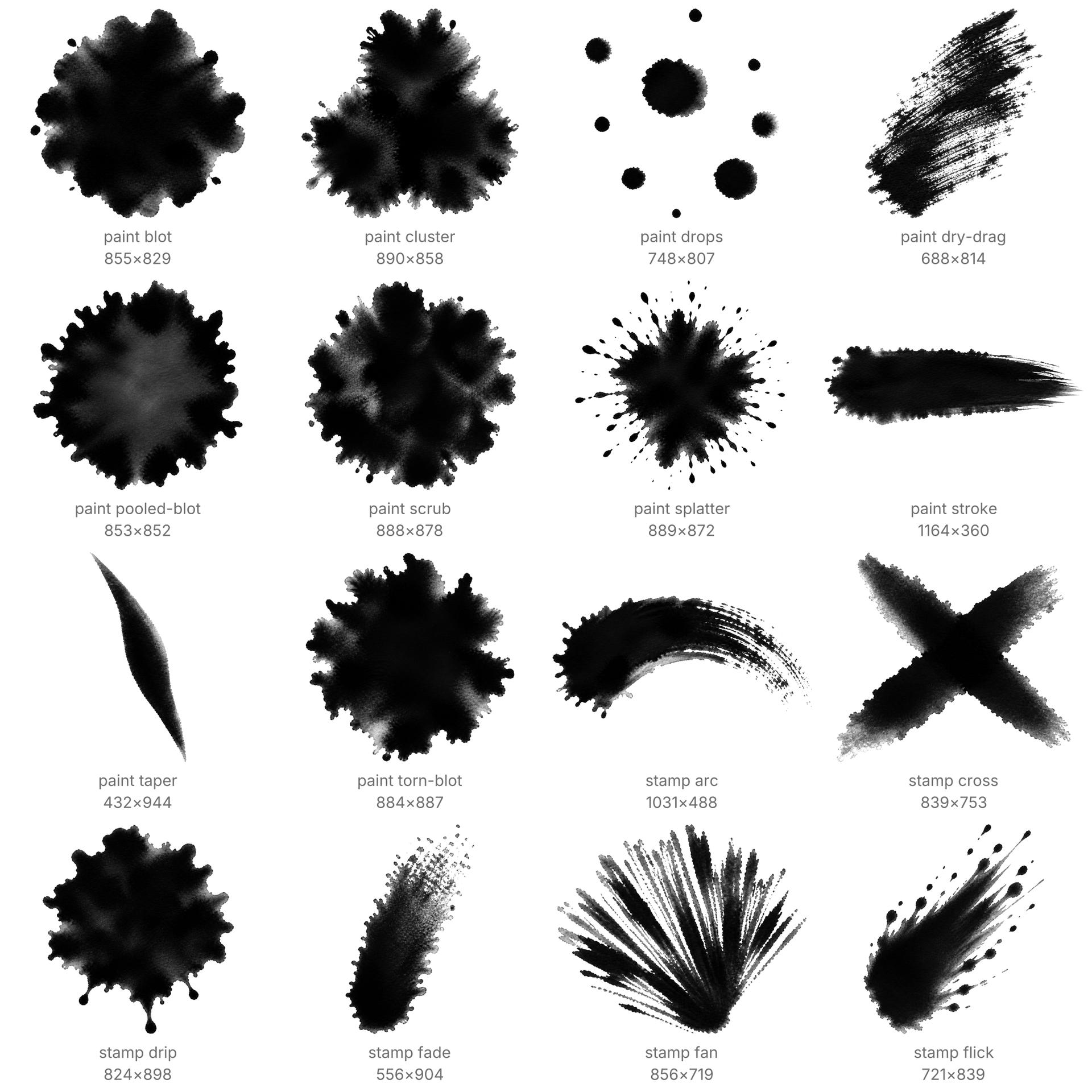
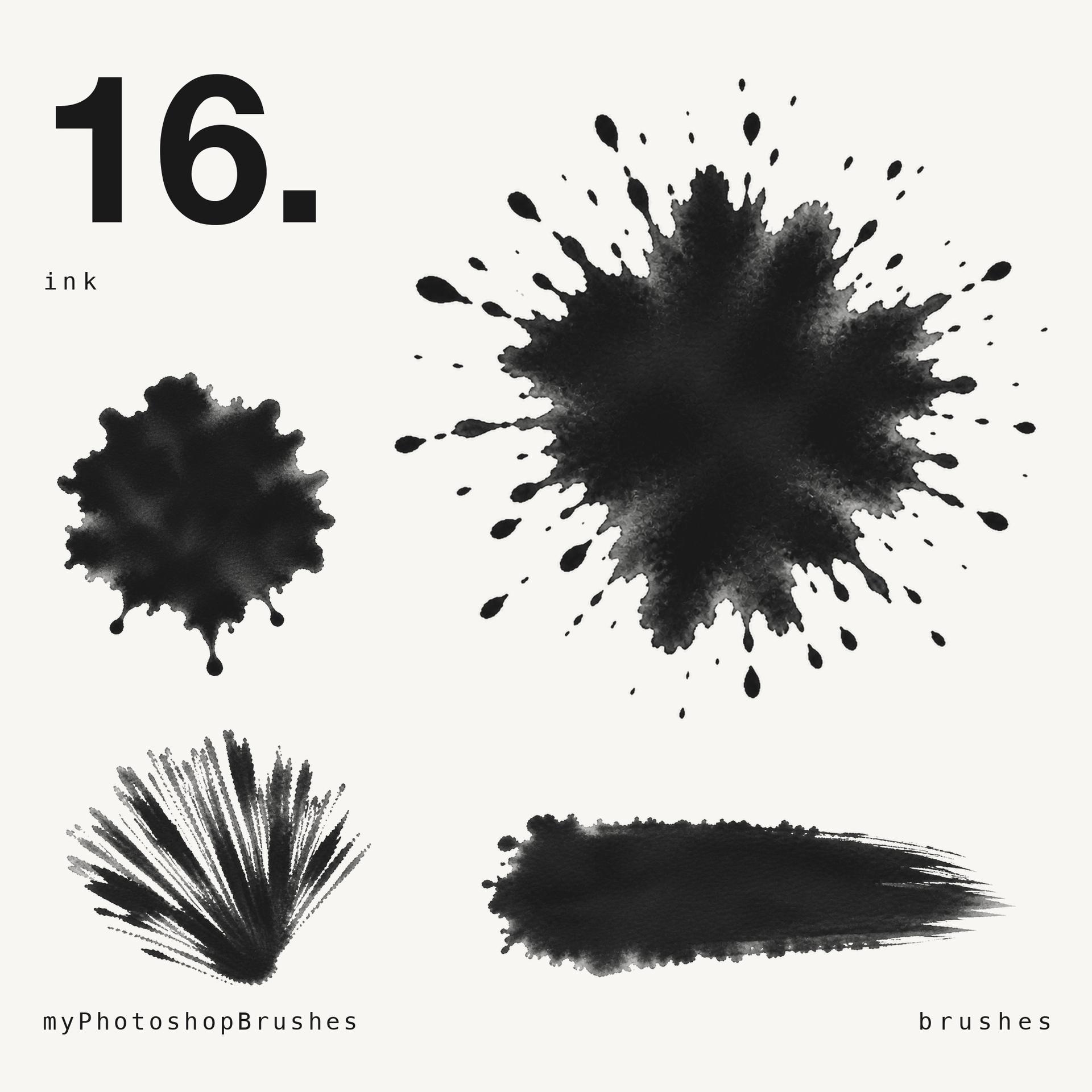
Sixteen tips, black India ink on white, 807 to 1164 px on the long side.
Six are round masses, and those are the ones you will reach for most: a wet blot with droplets thrown off the rim, one with a torn bleeding perimeter, a pooled drop that dried dark at the edge and washed out in the middle, a blot with drips running off it, a scrubbed mottled patch, and three blots merged into a single body.
The other ten split three ways. Splatter: a radiating burst, a directional flick with the droplets trailing one way, and a handful of separate round drops. Strokes: a broad loaded one ending in dry bristle, a smooth tapered calligraphic mark, a long arc, and two strokes crossed. Dry brush: a diagonal drag, a splayed fan, and a stroke that runs out of ink halfway across.
What is not here is fine spray. No mist of specks, no airbrush stipple. The closest thing is the burst, and its droplets are large. If you need atomised ink, look elsewhere.
Working with them. Keep Spacing near 100% or click once instead of dragging, since these are stamps and low spacing will show you the same tip four times in a row. Angle Jitter off keeps a stroke reading as one deliberate mark; at 100% the round masses turn into scatter. The blots and the scrub also work as mask tools: paint one into a layer mask at full Flow to knock a hard-edged hole, then a second at low Flow to soften what is left. Colour comes from the foreground swatch, so black is where these start, not where they have to stay.
What's Included