40 Free Meadow Grass Photoshop Brushes
Resource Details
- Author
- myPhotoshopBrushes
- Format
- ABR
- Size
- 8.8 MB
- Opens in
- Photoshop, GIMP
- Imports into
- Procreate, Affinity Photo, KritaShapes import. Dynamics may not.
- Brush type
- Stamp brushes
- Items in set
- 40
- Downloads
- 1.2k
- Added
- Sep 17, 2026
Description
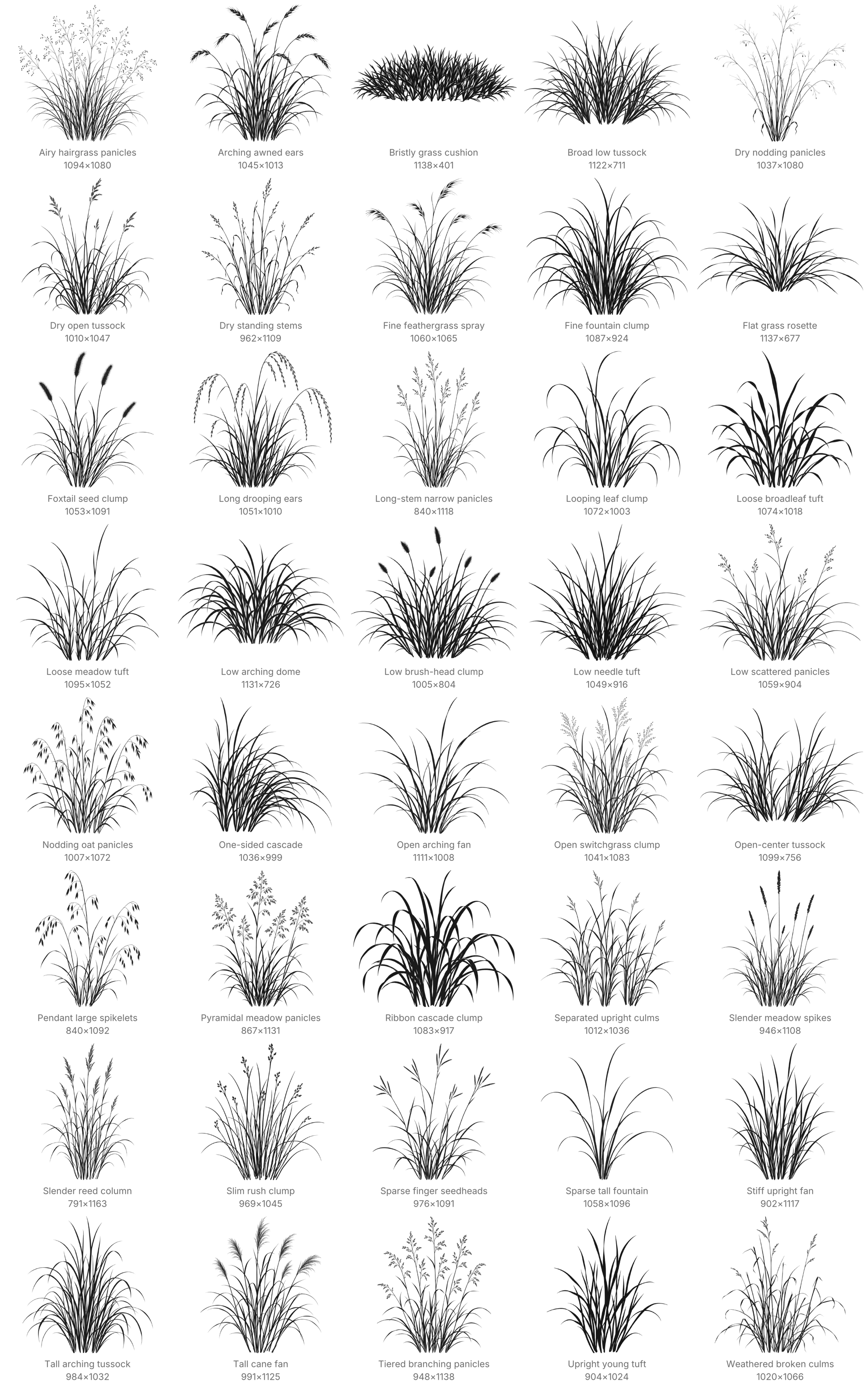
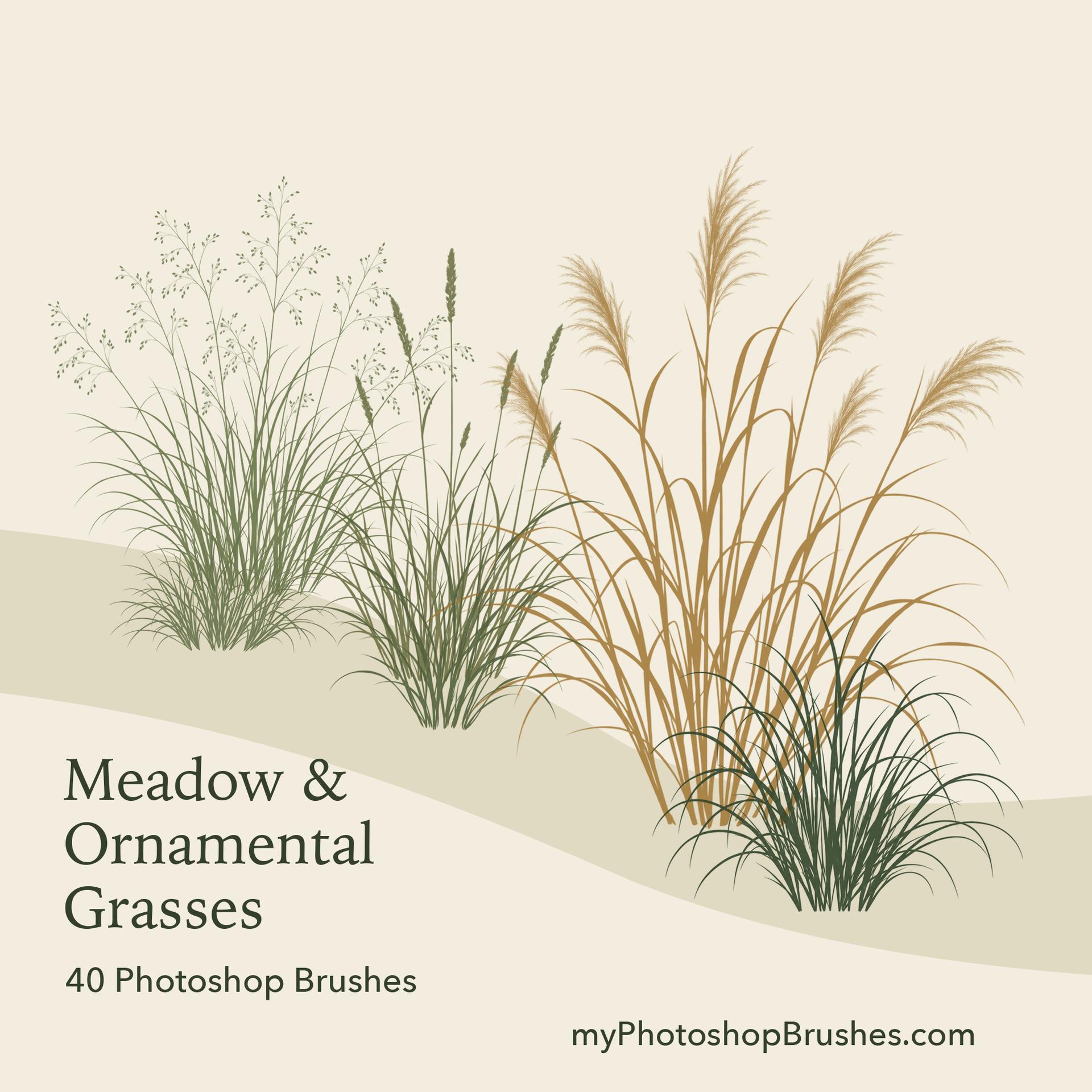
Build planting around an entrance, along a rain garden or across a park without drawing every blade. These ground-level grass silhouettes leave gaps between leaves and seed stems, so paving, facades and other planting can remain visible through the foreground.
Forty individual stamps span low tufts, cascading leaves, upright ornamental grasses, airy flowering panicles, drooping ears and dry stems. Narrow and spreading clumps give you different footprints for planting beds. Their structure changes from brush to brush, with both loose and compact forms.
Work from taller grasses at the back toward lower clumps in front. Leave some space between impressions and vary the chosen brush as well as its size to avoid a repeated row. A subdued color helps distant planting recede; stronger color or opacity gives a foreground clump more weight. Turn Scattering off when aligning a planting row. Set Size Jitter to zero when successive impressions of the same clump need equal height.
The ZIP provides one ABR containing all 40 named brushes and License.txt. These are individual plant stamps, intended for placement one impression at a time. They contain no soil, containers or ready-made scenes, and are not top-view planting symbols or botanical species guides. The raster tips range from 1005 to 1163 px on their longest edge, so very small impressions can lose the finest stems and seed detail.
Personal projects and commercial artwork are permitted under the included license, with no attribution required.
What's Included