20 Free Watercolor Spring Blossom Photoshop Brushes
Resource Details
- Author
- myPhotoshopBrushes
- Format
- ABR
- Size
- 39.4 MB
- Opens in
- Photoshop
- Imports into
- Procreate, Affinity, GIMPShapes import fine. The Photoshop dynamics do not.
- Brush type
- Mostly stamps, some use dynamics
- Items in set
- 20
- Downloads
- 1
- Added
- Nov 27, 2026
Description
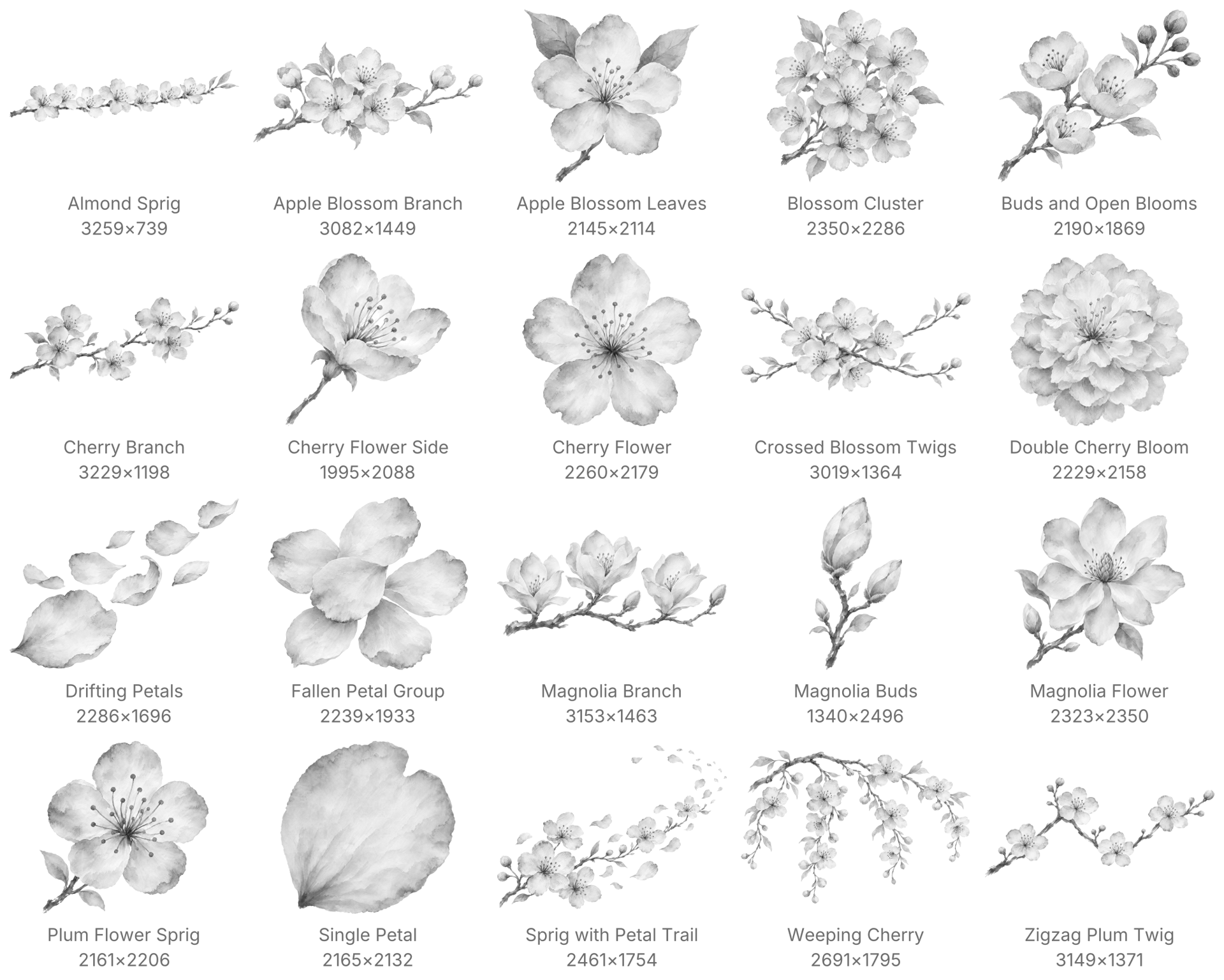
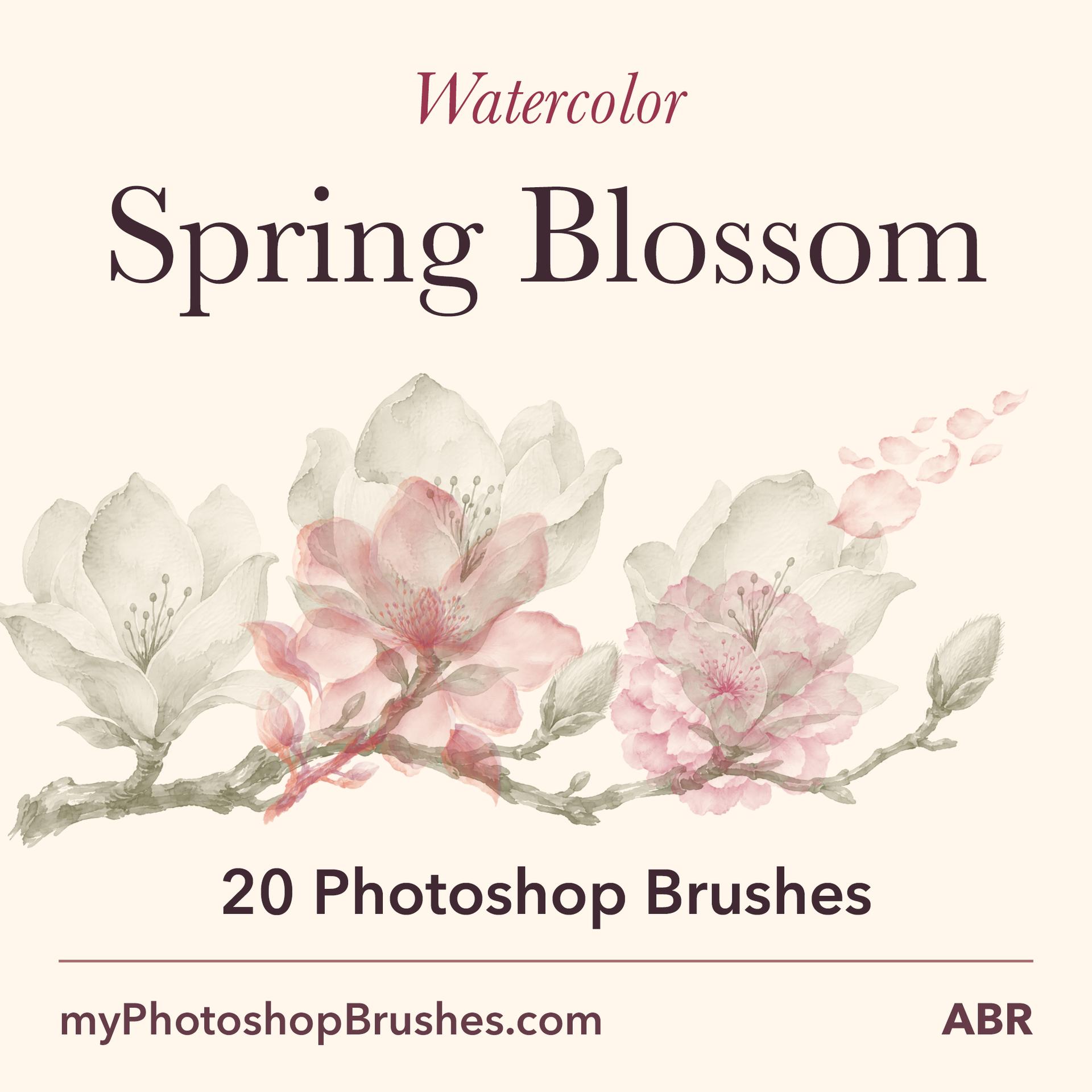
Each of these blossom tips keeps the uneven density of a real watercolor wash: a petal is lighter at its center, darker along the rim where the pigment settled, and its paler areas stamp as partly transparent paint rather than a flat fill. One click in pale pink lays a cherry branch that looks brushed onto the page, and a second impression in a deeper shade on top builds up the layered look of glazing.
The species are cherry, apple, plum, magnolia and almond. Seven tips are whole branches: a cherry branch with buds at its tip, an apple branch with young leaves, a zigzag plum twig, a magnolia branch with three upright flowers, a long almond sprig, a weeping cherry with hanging threads and two twigs crossed into a corner spray. Six are single flowers, including a side view on a stem and a ruffled double cherry bloom. Three are clusters of buds and open flowers, and four are petals: one large petal, a diagonal drift, a fallen group and a sprig trailing petals along a curve.
Branches measure about 2700 to 3260 px on their longer side and the other tips about 2000 to 2500 px, so a single stamp can fill a printed greeting card at full resolution. Three petal tips are made for dragging: Single Petal and Fallen Petal Group leave separate, randomly mirrored petals behind the cursor, and Drifting Petals lays one drift after another. A click with any of the other seventeen sets down the whole composition upright, as painted. Pen pressure changes nothing.
Dropping the ABR onto an open Photoshop window adds the twenty presets as one group. Paint color comes from the foreground swatch because every tip is a gray mask, and no paper texture sits under the marks: put a paper layer of your own beneath them if the wash should show grain. License.txt in the ZIP covers commercial use without credit.
What's Included