Cat and Panda Free Patterns
Resource Details
- Format
- PAT, PNG
- Size
- 116.1 MB
- Items in set
- 9
- Downloads
- 247
- Added
- May 11, 2026
Description
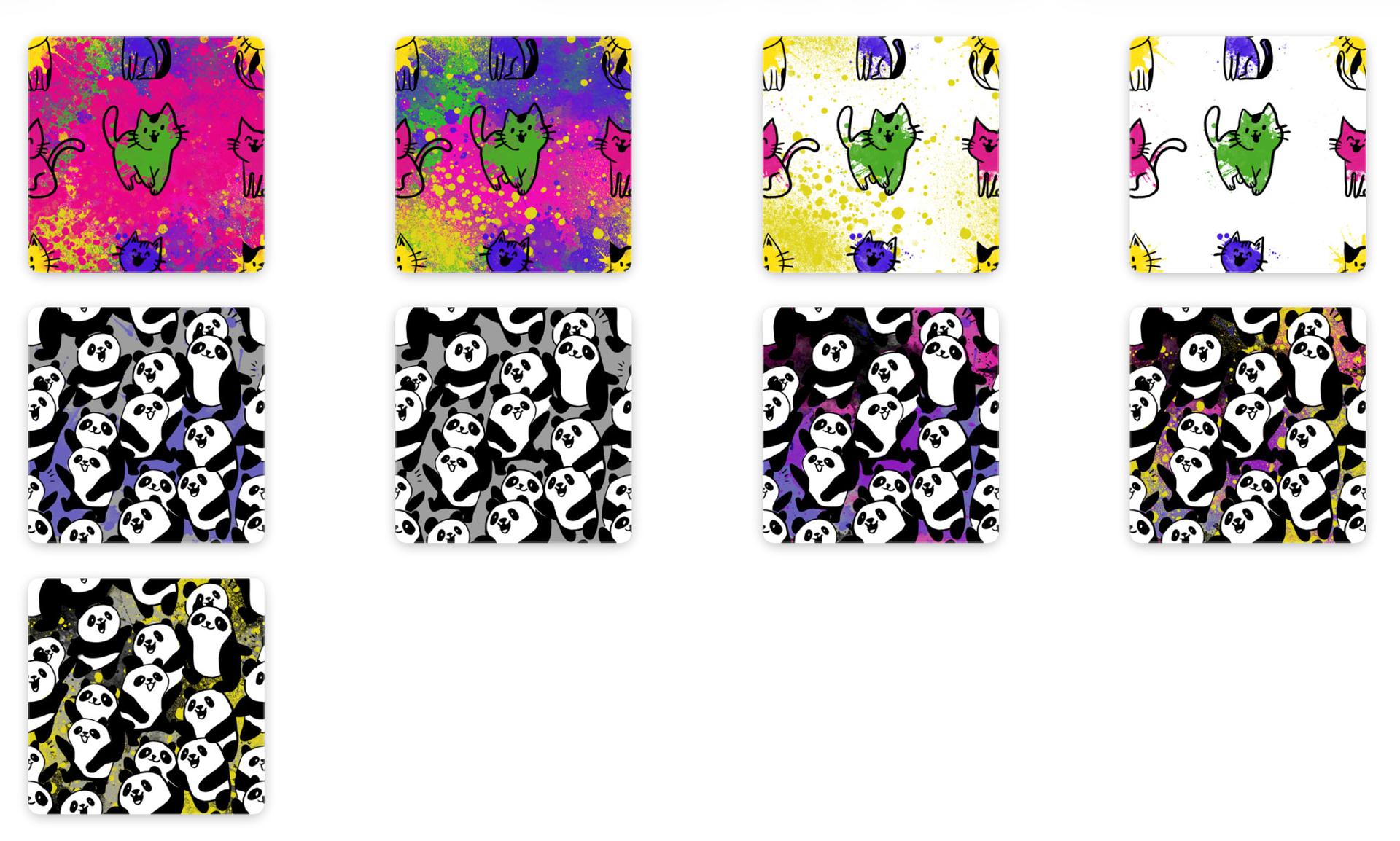
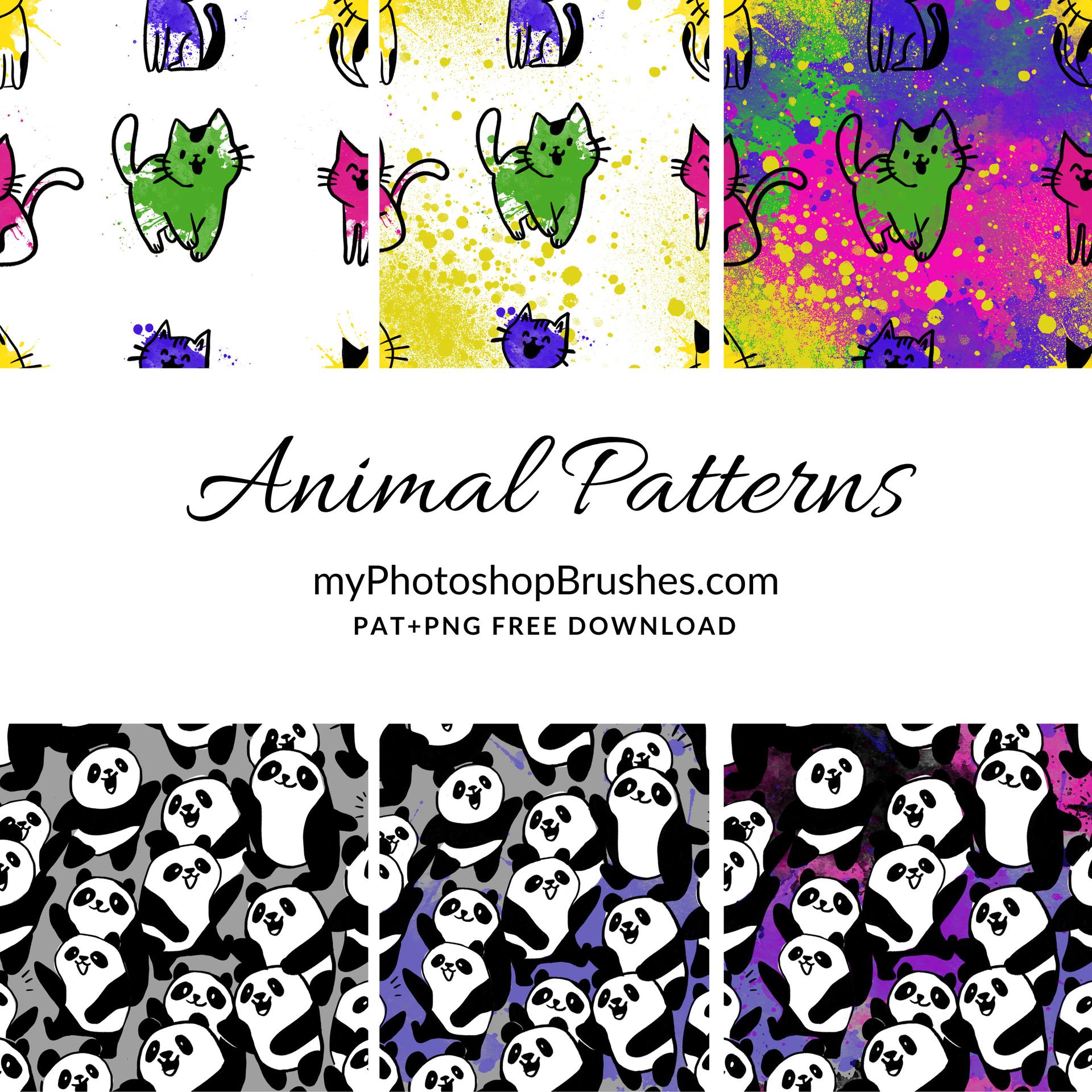
Cartoon cats with smiley faces and paint-splatter halos, plus a tile crammed with grinning pandas: the kind of set you reach for when a project needs to feel hand-made rather than slick. The cats are loose, sketchy, almost childlike in their line work. The pandas are tidier, more illustrative, stacked like they're crowding their way into the frame.
Every pattern in this set was built using the Animal Doodles Brushes; grab those if you want to draw your own variants or extend the set with new characters.
Nine seamless tiles in total, split between two moods:
- 4 cat patterns: ink-drawn kitties in green, pink and purple over yellow splatter backgrounds, plus one stripped-back white variant for when the splatter is too much
- 5 panda patterns: densely packed black-and-white pandas on grey, blue, purple, and a punchy yellow-and-black graffiti backdrop
Both .PAT (loadable straight into Photoshop's pattern presets) and .PNG (if you'd rather drop the tile in manually or work outside Adobe). The set works well for kids' book layouts, sticker sheets, pyjama-pattern mockups, birthday card backgrounds, nursery prints, classroom materials: anywhere a wall-to-wall illustration with some bounce in it would land better than something stock-feeling.
What's Included