16 Free Dust & Scratches Photoshop Brushes
Resource Details
- Author
- myPhotoshopBrushes
- Format
- ABR
- Size
- 6 MB
- Opens in
- Photoshop, GIMP
- Imports into
- Procreate, Affinity Photo, KritaShapes import. Dynamics may not.
- Brush type
- Stamp brushes
- Items in set
- 16
- Downloads
- 765
- Added
- Oct 13, 2026
Description
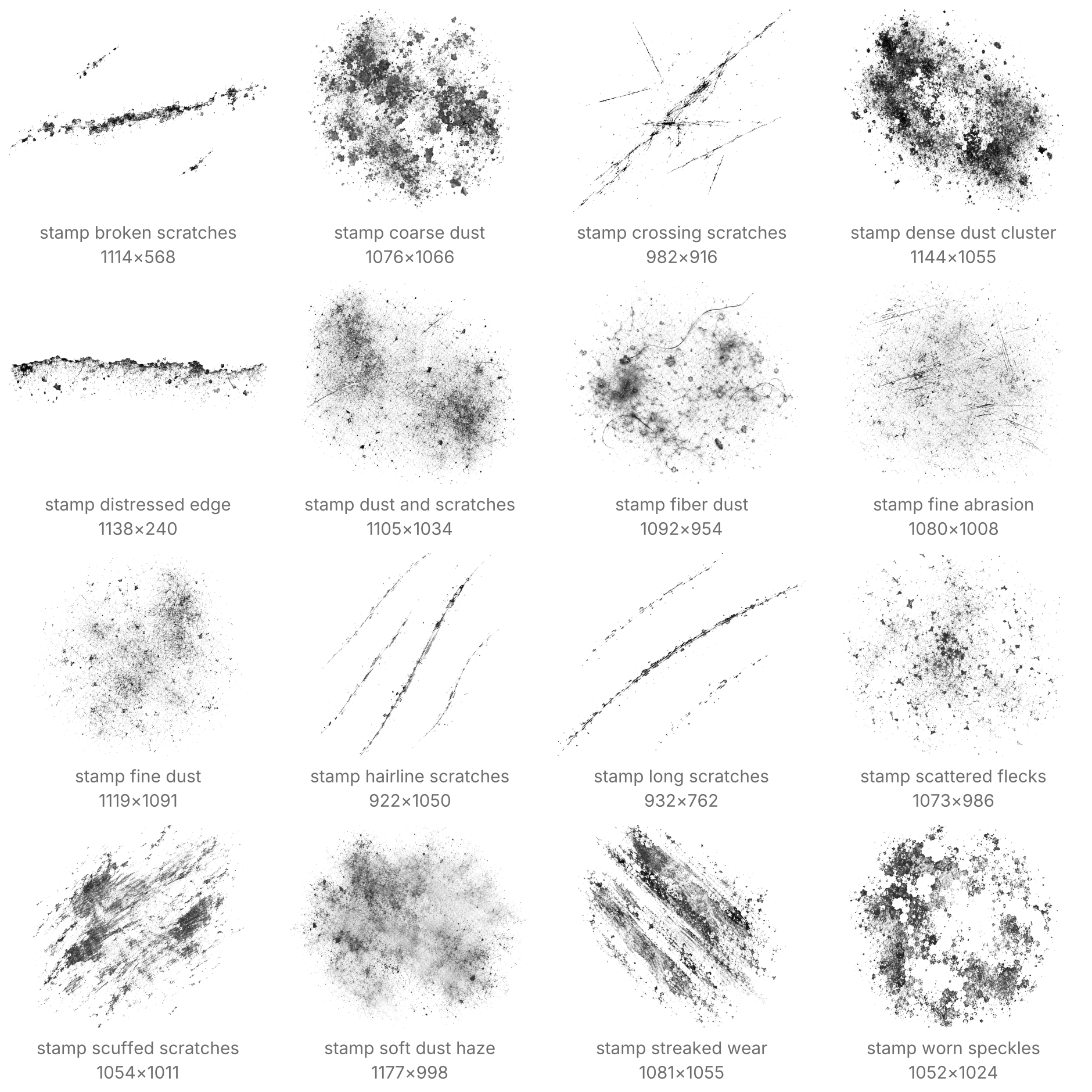
Age selected areas of a photograph, break up a poster background or remove patches of ink from a layer mask. These stamps give you control over where the damage falls and how much of the original image remains visible.
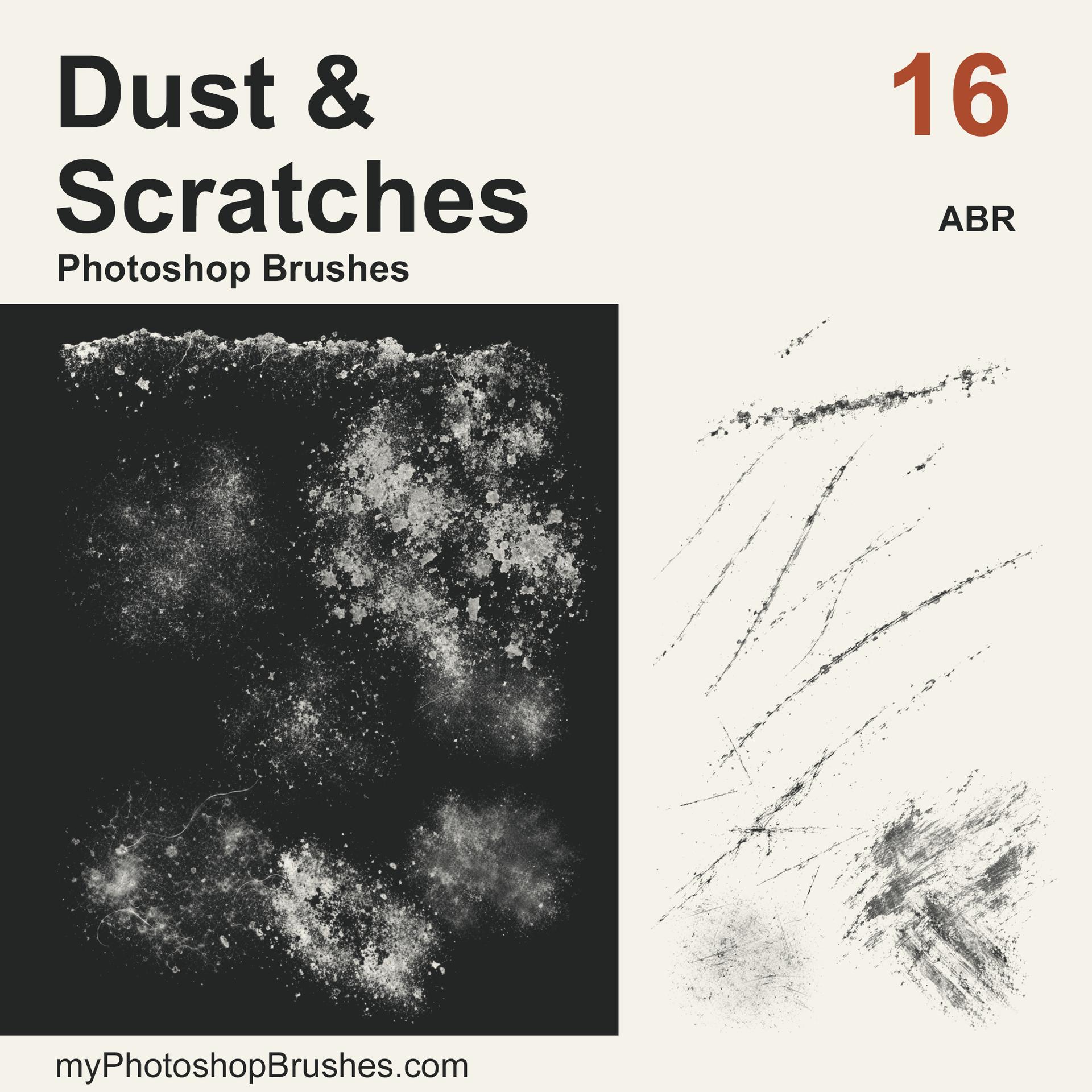
The set contains 16 named presets: six dust stamps, six scratch stamps and four wear stamps. Fine deposits, coarse flecks and lint provide different particle sizes. Sparse hairline scars suit lighter aging, while broken scratches, scuffs and chipped print edges produce stronger damage. Gray areas add partial coverage and the open gaps reveal the layer underneath.
Place a stamp, then vary its angle, scale and opacity before adding another impression. Use a separate layer for colored residue or paint on a mask to expose the image below. The raster tips measure 932 to 1177 px on their longer side. Native Photoshop tests used 640, 240 and 120 px impressions; smaller sizes make fine particles and narrow scratch ends less distinct.
For installation, select Import Brushes and point Photoshop to the extracted .abr. One brush file holds the complete set. License.txt accompanies it and allows client work as well as private projects. Attribution is optional. This is a stamp collection. It supplies no seamless texture images, stroke-based painting tools or finished designs.
What's Included